

Example: Users and groups in different OUs, under different parents — Microsoft Active Directory
In this example, there are two separate OUs,
User Accounts and
Group Accounts in the domain
example.com.
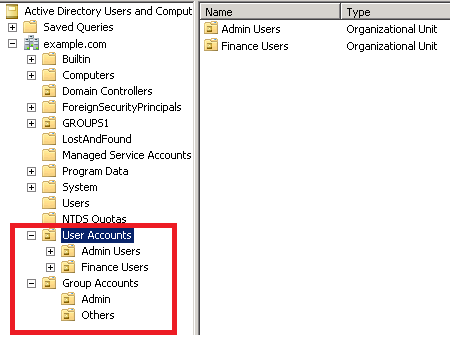
Specifying the OU takes the form:
OU=
child_OU,OU=
parent_OU
In the example, there are four different accounts:
OU=Admin Users,OU=User Accounts,DC=example.DC=com
OU=Finance Users,OU=User Accounts,DC=example.DC=com
OU=Admin,OU=Group Accounts,DC=example.DC=com
OU=Others,OU=Group Accounts,DC=example.DC=com
For this example, to authenticate users and groups, you would make these entries in the Add Directory screen: