The HPE Ezmeral Data Fabric Event Store C#/.NET client is a binding for librdkafka that is dependent on the HPE Ezmeral Data Fabric Event Store C client (HPE Ezmeral Data Fabric Event Store C Client is a distribution of librdkafka that works with HPE Ezmeral Data Fabric Event Store).
Note: As of MapR 6.0.1/MEP5.0, you can create C#/.NET client applications for
HPE Ezmeral Data Fabric Event Store.
Requirements
Verify that the following components are installed on the node:
- MapR Client on Windows 7 (or higher) x64 operating systems
- MapR cluster version 6.0.1 or greater
- Java 8 SDK and set Java HOME
- HPE Ezmeral Data Fabric Event Store C Client (mapr-librdkafka 0.11.3)
- HPE Ezmeral Data Fabric Event Store C#/.NET Client (mapr-streams-dotnet)
- .NET SDK 4.5.x or 4.6.x or .NET Core SDK 1.1
- nuget.exe
For instructions on setting up the MEP repository, see Step 10: Install Ecosystem Components Manually.
Important: Because the HPE Ezmeral Data Fabric Event Store C#/.NET Client is dependent on the HPE Ezmeral Data Fabric Event Store C
Client, you must configure the HPE Ezmeral Data Fabric Event Store C Client before using the HPE Ezmeral Data Fabric Event Store C#/.NET Client. See
Configuring the HPE Ezmeral Data Fabric Event Store C Client.
The following screenshot shows the Environment Variables on Windows: 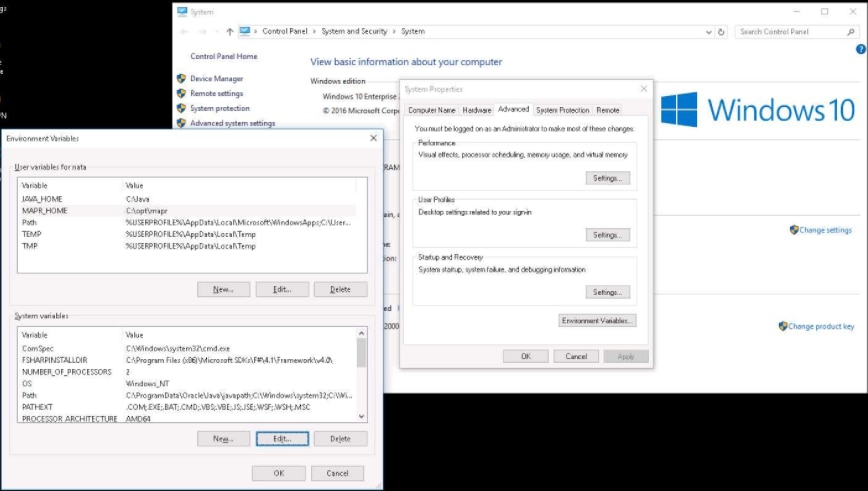
Installing on Windows
To install from the Visual Studio, search for the HPE Ezmeral Data Fabric Event Store C#/.NET package
(mapr-streams-dotnet) in the NuGet Package Manager UI.

To install from PowerShell:
- Run the following command in the Package Manager Console:
Install-Package mapr-streams-dotnet -<version>
To add the package initial in .NET Core:
- Create the application, for example:
dotnet new console - Add the C#/.NET Client package, for example:
dotnet add package mapr-streams-dotnet - Add a dependency in your .csproj file:
<ItemGroup>
<PackageReference Include="mapr-streams-dotnet" Version="<version number>" />
</ItemGroup>