Adding Nodes Using the MapR Installer Web Interface
-
Specify the nodes to be added:
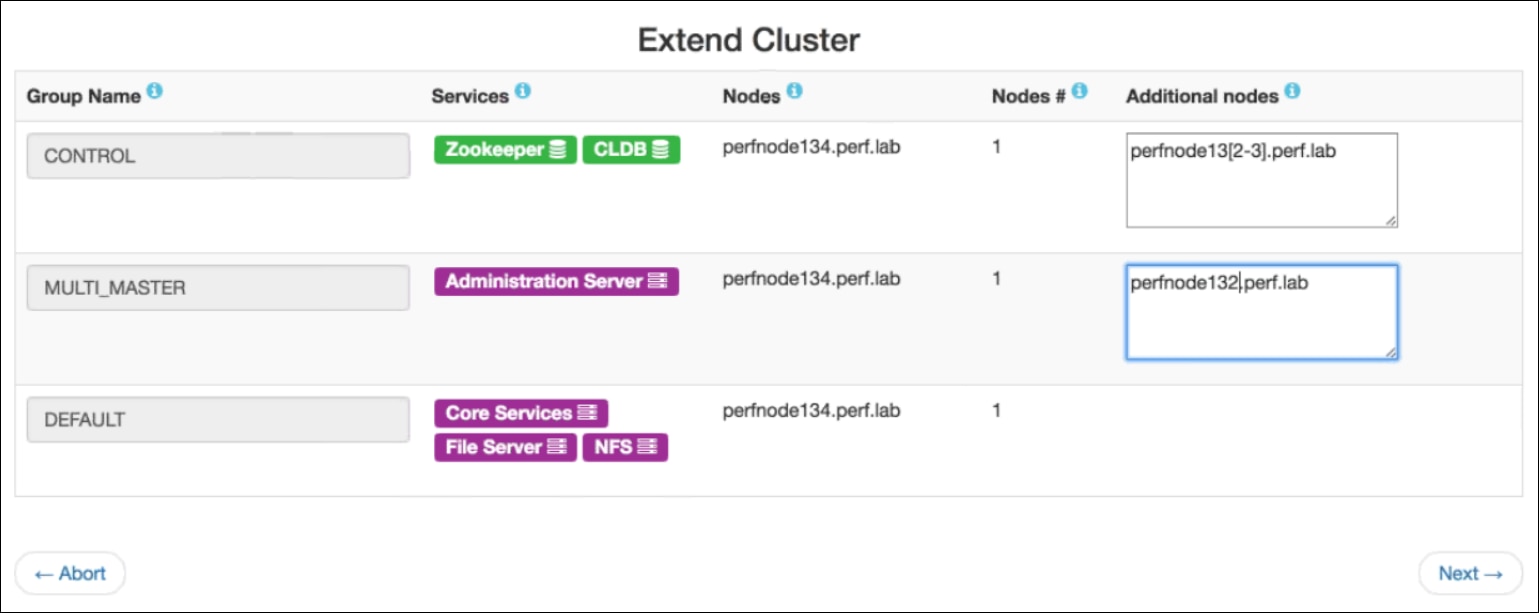
- On-Premise ClusterIn the Additional Nodes column, specify the host name(s) or IP address(es) of the nodes to be added. If you are adding multiple nodes, you can specify an array. The following example adds perfnode132.perf.lab and perfnode133.perf.lab to the CONTROL group and perfnode132.perf.lab to the MULTI_MASTER group:
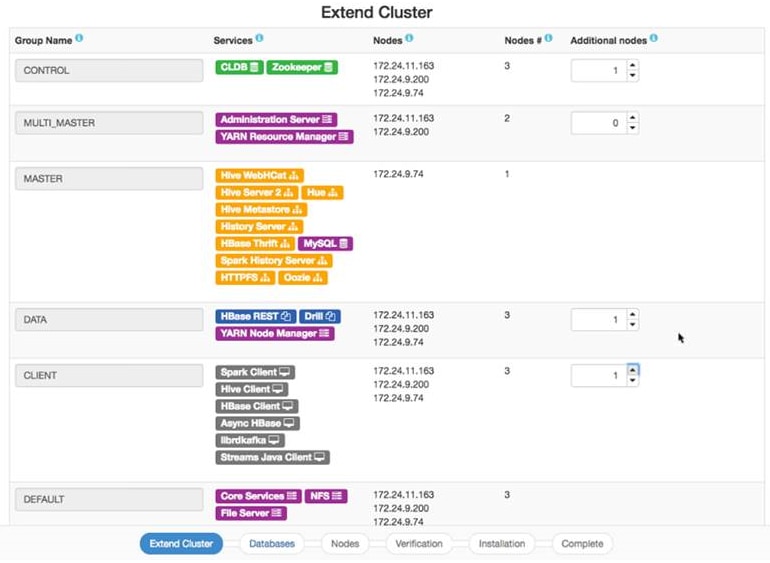
- Cloud-Based ClusterIn the Additional Nodes column, specify the number of nodes to be added. You do not need to specify the host name or IP address. The following example adds a node to each of the CONTROL, DATA, and CLIENT groups:
- On-Premise Cluster